YouTube Digest
Generated Sep 16, 2026, 11:30 AM — new uploads from your subscribed channels, each with a short summary so you know what it's about before you click play.

Nate B. Jones gave GPT-6 Astra (via Codex on Mac) and Claude Fable 5.1 (via Claude Coworker) the exact same five-line brief to build a native Mac clipboard manager with keyboard-shortcut recall. Fable built 'Ledge' — a narrow list that slides in from the right using Command+Shift+V. Astra built 'Shelf' — a wide bottom bar with larger cards and a preview pane using Control+Shift+Spacebar. Astra completed its first build faster and with fewer tokens, allowing Jones to iterate through versions 1.0, 1.1, and 1.2 — fixing misaligned cards, adding drag-and-drop, showing a 'copied' confirmation, and adjusting focus-return timing — in the same time Fable took to ship just 1.0. Astra's final installer passed 65+ automated checks, was packaged as a signed .dmg approved by Apple, and was installed by someone outside the project. Jones concludes that iteration speed matters more than raw intelligence for getting to 'done', and the smartest approach is using both models for different phases of a project — Fable for deep design thinking, Astra for fast execution — rather than picking one winner. He also discusses multi-agent setups (Fable coordinates, Astra verifies, a cheaper model like Luna executes) but notes he achieved the entire app with a single agent and one short prompt.
- Both models received the identical five-line prompt to build a native Mac clipboard manager 'feels like Apple should have included it', remembering text, images, and links with keyboard-shortcut retrieval.
- Fable 5.1's 'Ledge' is a narrow list that slides in from the right using Command+Shift+V; Astra's 'Shelf' is a wide bottom bar with large cards and preview pane using Control+Shift+Spacebar.
- Jones accessed Fable through Claude Coworker and Astra through Codex on his Mac, so the comparison includes the harness/application layer around each model.
- Astra completed its initial build faster and with lower token consumption, enabling three iterations (1.0, 1.1, 1.2) in the time Fable produced one — fixing card alignment, drag-and-drop, copy-confirmation, and focus-return timing.
- Astra's final build passed 65+ automated checks written by the model itself, covering clipboard restoration, saved history, and keyboard behavior.
- Astra produced a signed .dmg installer authorized by Apple, making it trivially installable by anyone with a Mac.
- Astra's Control+Shift+Spacebar hotkey felt more intuitive than Fable's Command+Shift+V because it mirrors muscle memory of Control+C/Control+V.
- Astra interpreted feedback from screenshots and plain-language change requests without Jones specifying exact implementation details.
- Jones recommends using both models: Fable for deep design thinking (writing, spreadsheet design, PowerPoint planning) and Astra for fast execution, steerable writing, and iterative refinement.
- In multi-agent setups, Jones suggests Fable for coordination and design, Astra for verification, and Luna for fast execution — but notes he built the entire clipboard manager with a single agent and one prompt.
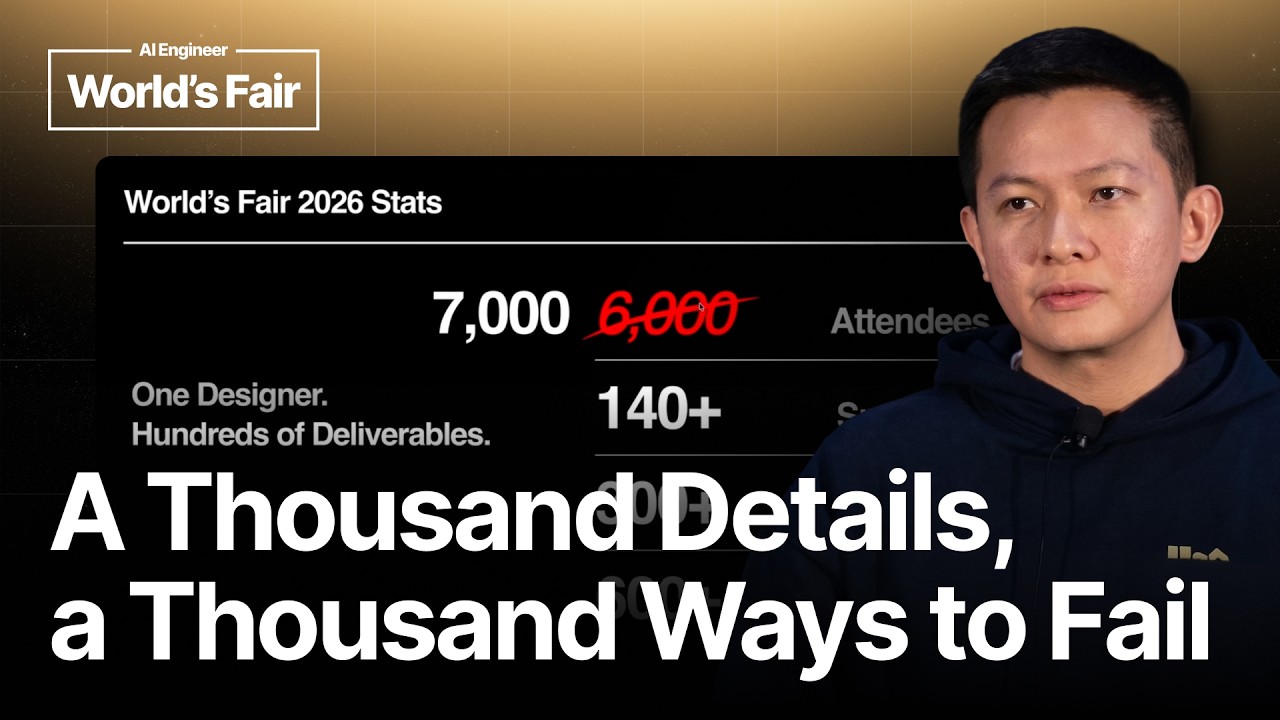
Vincent Wendy (Vinson Weng), senior creative designer at AI Engineer, delivers a non-technical talk on how he serves as the sole designer for a massive conference (7,000 attendees, 140+ sponsors, 300+ speakers, 600+ sessions) by partnering with AI tools — Devin, ChatGPT/GPT, and Figma. He outlines a five-part methodology: establishing a rock-solid design system (foundation), making designs reusable across teams, automating workflows via AI coding agents, validating output (Devin visually checks sponsor banners and T-shirt logos with 100% accuracy), and removing friction by thinking like an attendee. Practical demonstrations include Devin auto-generating pixel-perfect room schedules from live data, creating a web-based tool for 300+ speaker announcement cards with trading-card variants, leveraging Figma spec-sheet plugins so LLMs reproduce designs with correct spacing and font sizes, and asking Devin to add edit buttons on the fly when schedules change. His closing message: 'think small' — solve the tiniest, most error-prone details preemptively — and treat every exception as an automation opportunity.
- Wendy is the only designer at AI Engineer (~12-15 person team), producing every visual asset for a conference that grew from 6,000 to 7,000 attendees, 140+ sponsors, 300+ speakers, and 600+ sessions.
- His 'design team' consists of himself plus Devin (AI coding agent), ChatGPT/GPT, and Figma — no traditional design team headcount.
- He advocates thinking outside the box about LLM limitations: ask for a PNG then vectorize in Figma rather than asking an LLM to generate a vector file directly.
- Five-part methodology: (1) Foundation — design system with typography, colors, atomic components; (2) Reusable designs — marketing team self-serves from the website; (3) Automated workflows — Devin generates schedules, speaker cards, and trading cards from live data; (4) Validated output — Devin checks sponsor banners and T-shirt graphics for missing logos with 100% accuracy; (5) Remove frictions — think as an attendee and connect every touchpoint.
- Atomic design principles (LEGO-like components from smallest parts) are central to his workflow, carried from his product-design background.
- For pixel-perfect AI output, he uses Figma spec-sheet plugins that annotate spacing, font sizes, and colors — compensating for LLMs' tendency to invent random font sizes.
- He demonstrated a web-based speaker-announcement generator where users select a name and headshot, auto-exporting pixel-perfect cards in portrait and landscape modes plus trading-card variants.
- Devin identifies and matches speaker headshots from photographer archives via visual recognition ('Tinder-style detection'), eliminating manual search by timecode.
- When a live schedule display needed updates but had no edit button, he asked Devin to 'add me an edit button' — and it did, enabling instant on-site changes exported to PNG.
- MCP connections and spec documents bridge designer intent and AI execution, removing the traditional designer-developer feedback loop.
- Key takeaway: 'Think small' — anticipate every detail that can go wrong and solve it preemptively; having a hard problem is an advantage because it forces better automation.
- Wendy's closing message is that designers today are 'at the peak' of what's possible with AI automation, and the only prerequisite is a problem worth solving.

Jeremiah Lowin (author of FastMCP, Prefect CEO) introduces 'prefab', a Python-powered UI framework for MCP Apps — the extension of the MCP protocol that lets agents deliver interactive HTML/CSS/JS UIs directly to users, bypassing the agent's context window. Since most FastMCP users are Python engineers in enterprises who cannot ship React or TypeScript, Lowin scoped the problem to what they actually need: tables, forms, and charts for internal communication. Prefab exposes ~140 shadcn components via a Python DSL built on context managers and reactive (RX) variables — a Python `with` block composes nested UI elements; reactive variables provide full client-side interactivity without JavaScript. The architecture uses a JSON intermediate protocol between the Python DSL and a React renderer, which also enables fully generative UIs where an LLM streams UI definitions over the wire. A key discovery: the Python representation of a UI is ~70% smaller than the equivalent JSON, so Prefab now streams Python code over the wire, executes it in a sandbox server-side, compiles to JSON, and renders — dramatically improving token efficiency.
- MCP Apps bypass the agent's context window by sending HTML/CSS/JS directly to the user, enabling rich interactive experiences while the agent remains the facilitator.
- Lowin's core insight: Python developers in enterprises don't need consumer-grade custom UIs — they need to share information through tables, forms, and charts internally. This constraint makes the problem tractable.
- Prefab uses Python context managers (`with` blocks) as its DSL — nesting components mirrors the UI tree structure, making code read naturally.
- Reactive variables (the `RX` class) enable client-side interactivity: bind data between components and create live-updating dashboards without any JavaScript.
- The pipeline: Python DSL → declarative representation → JSON protocol → React (shadcn) renderer. The JSON intermediate protocol is the key innovation — serializable, agent-generatable, agent-editable.
- Prefab ships ~140 components (data tables, pie charts, grids, upload components) and its own documentation is 100% rendered in prefab — every example is a live, editable component.
- Integration Level 1 — Interactive Tools: Return a prefab component from a `@tool` function and FastMCP auto-detects it, spinning up the MCP App machinery for a fully interactive table.
- Integration Level 2 — Full MCP Apps: Write a class with `@app.ui` (entry point) and `@app.tool` (backend). The upload component lets users drag files into the UI, bypassing the agent's context window entirely.
- Integration Level 3 — Fully Generative UI: Expose a tool accepting prefab's JSON protocol. An agent can stream UI definitions over the wire and the renderer heals and renders them in real time.
- Key discovery: The Python representation of a UI is ~70% smaller than the equivalent JSON. Prefab now streams Python over the wire, sandbox-executes it, compiles to JSON, and renders — improving token efficiency.
- Lowin describes prefab as 'the weirdest piece of software I've ever written' but argues it feels natural once you scope the challenge to UI composition (not construction) for Python-centric users.
- Prefab is open source, already integrated into FastMCP as an optional dependency — install it, import components, return them from tools, and MCP Apps work immediately.

Taís Castello Branco, founder of Taste Labs (recently out of stealth), presents how to end AI 'slop' by decoding subjective domains like design and writing. She defines slop by three measurable characteristics — repetition, lack of context-fit, and low intent — and describes analyzing 2M+ websites to quantitatively detect it using custom 'probe' classifiers (outperforming LLM-as-a-judge). The internet was already homogenizing before AI (palettes and layouts converging), but AI accelerated the collapse toward the mean. Key products include a 'creativity API' that intentionally produces out-of-distribution content (not just temperature randomness), and a 'Brand API' that extracts brand guidelines from URLs into structured components for agents to follow with built-in verification. She argues that as generation cost nears zero, judgment becomes the scarce resource, and the immediate goal is raising the floor of AI quality.
- Taste Labs exited stealth weeks before this talk; mission is to 'end AI slop' by decoding subjective domains (design, writing) with the same rigor applied to coding and math.
- Slop is defined by three pillars: repetition (same output everywhere), lack of fit (same design for pet shop and finance firm), and low intent (thoughtless one-shot generation).
- The team analyzed over 2 million websites from the past 10 years plus synthetic AI-generated sites to quantify slop trends.
- They found the internet was already becoming more homogeneous in color palettes and layouts before AI, but AI dramatically accelerated this collapse toward the mean.
- Taste Labs built 'probes' — small classifiers trained to detect specific objective features (colors, typography, layout, audience) that predict whether a site is AI slop with high accuracy.
- Their probe-based approach outperformed standard LLM-as-a-judge methods for detecting slop quality.
- Taste Labs works two tracks: (1) with frontier labs — evaluating model weaknesses and building post-training data or RL environments; (2) at the application layer — adding context, judgment, and verification to off-the-shelf models.
- The 'creativity API' produces out-of-distribution outputs by understanding domain rules and selectively breaking them — not just turning up temperature.
- The 'Brand API' (first public product, in beta) extracts a brand URL into structured design components that agents can follow, with a verification layer to judge brand fidelity.
- A live demo showed Claude Design creating a slide deck: without brand extraction the output was generic; with Taste Labs extraction it became faithful to the original brand.
- Branco argues that as generation cost goes to zero, judgment becomes the scarce and valuable resource, and the priority is raising the floor — not debating pinnacles of taste.
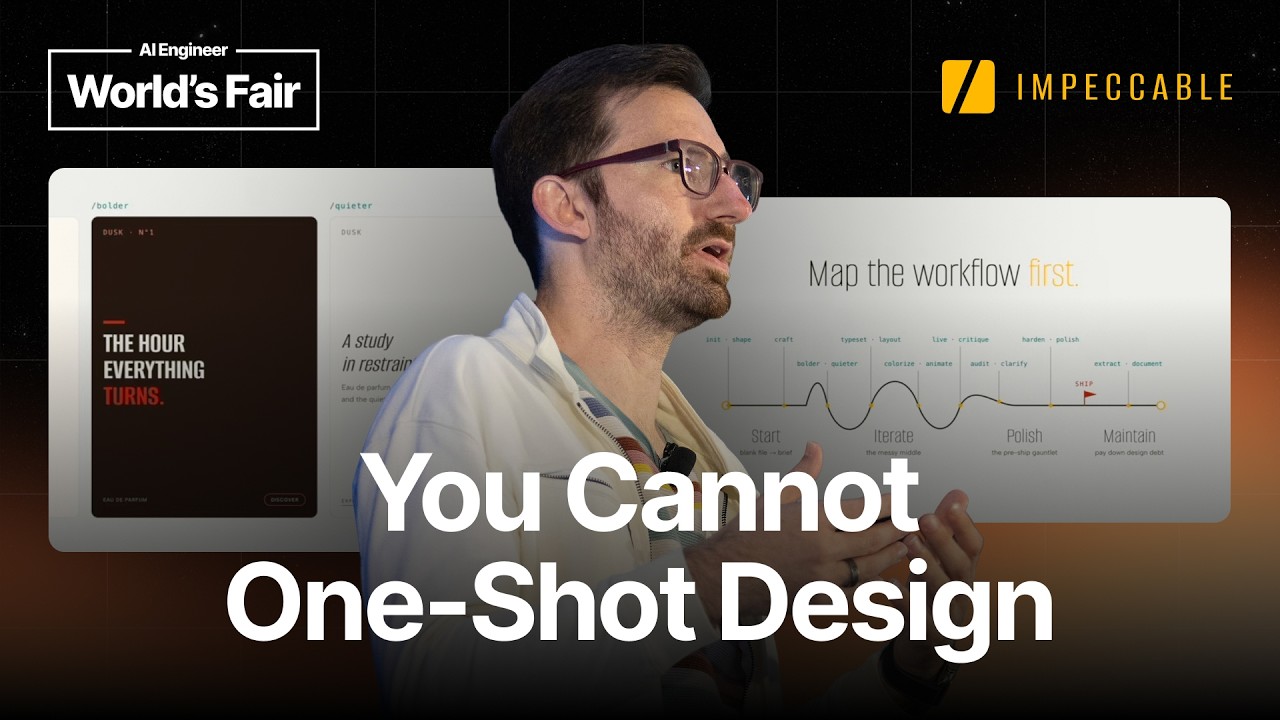
Paul Bakaus presents Impeccable, a design skill that works across AI coding harnesses (Claude Code, Copilot, Cursor, Codex) to turn them into better designers. He argues one-shot design is impossible — great design requires multi-shot iteration, rich context, and human steering. Adjectives and verbs like 'bolder', 'quieter', 'distill', 'polish', 'harden' provide the right control level — more specific than pixel manipulation but more intentional than fully agentic prompts. Without a shared design vocabulary defined for the project, adjectives are just nicer prompts that produce generic 'algorithmic unilo' (Claude beige, serif fonts, italics). He refuses to add an auto mode because the tool's purpose is steering, not automation. Taste cannot be lab-grown — it's contextual, cultural, and built from experience.
- Impeccable is a design skill that enhances AI coding harnesses (Claude Code, Copilot, Cursor, Codex) to produce better-designed output, not a standalone design tool.
- Bakaus demonstrates a live comparison: same project with vs. without Impeccable shows starkly different results — 'bolder' focuses on hierarchy, scale, and decisive type without breaking the design system.
- One-shot design is impossible today (and may never be feasible) — design must be multi-shot, context-rich, and informed by audience, brand, and purpose.
- Traditional waterfall handoffs (PM → Designer → Engineer) are collapsing; engineer and designer roles are increasingly blurring into 'design engineer' hybrids.
- Current AI-generated design suffers from 'algorithmic unilo' — past slop was purple gradients, current slop is 'Claude beige' with serif fonts and italics, producing visually competent but characterless pages.
- Bakaus maps the design workflow: initialization/shaping, crafting/iterating via adjectives+verbs, hardening/polish, and design system cleanup — each with different AI injection points.
- Adjectives like 'bolder', 'quieter', 'distill', 'polish', 'harden' serve as lightweight 'light warts' — words imbued with project-specific meaning that let users steer without micromanaging pixels.
- 'An adjective with nothing behind is just a nicer prompt' — the skill must translate each adjective into concrete, project-specific design instructions (hierarchy, scale, decisive type — not gradients).
- The tool includes a self-check: 'Show someone your work and say AI made this bolder — if they believe you, you failed.'
- Bakaus refuses to add an auto mode despite heavy user demand — the entire point is intentional steering, not automating away human judgment.
- Taste cannot be lab-grown or replicated at scale; it is contextual, cultural, and built from scars and experience. Tools amplify taste but cannot replace it.
- The 'Overdrive' command — a half-joke producing deliberately over-the-top designs — became one of the most popular features, showing users embrace controlled excess when they can choose it.
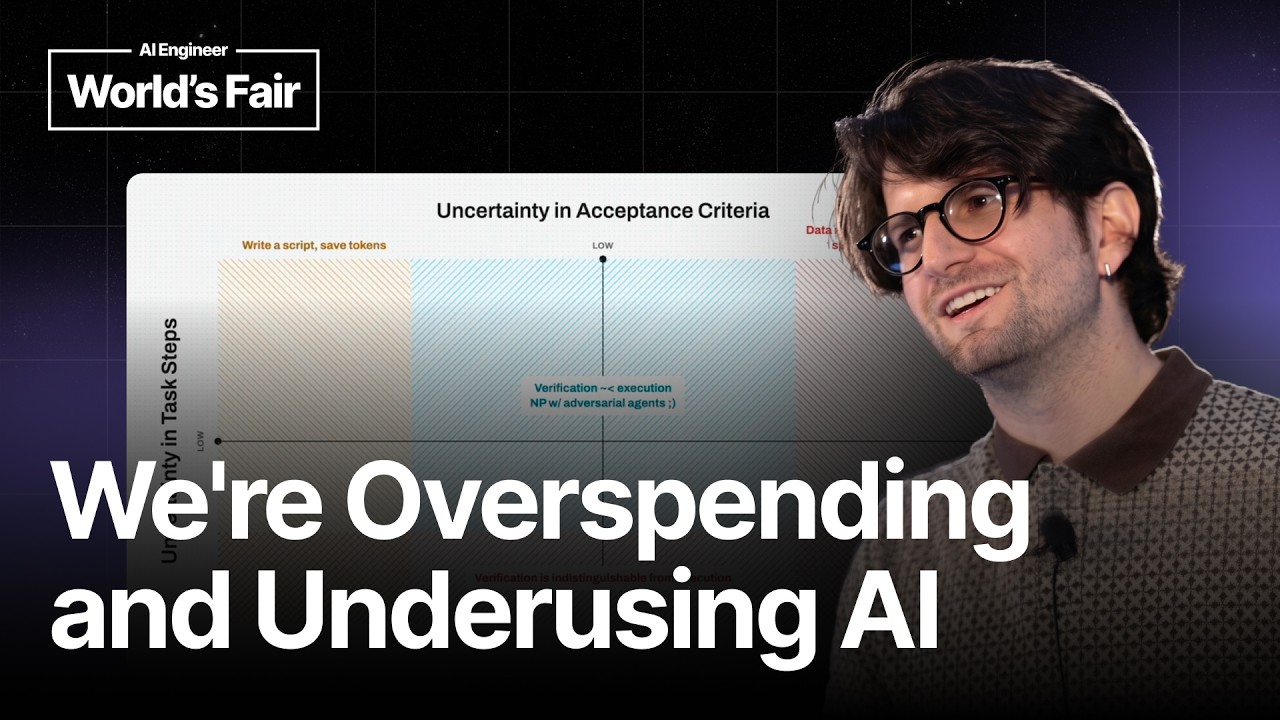
Maximillian Piras (founding designer at Yutori, a computer-use agent company) argues the AI agent industry has a fundamental measurement problem. Drawing a parallel to James Watt inventing 'horsepower' in the 1700s to help people comfortable with horse gins understand steam engines, Piras proposes 'mouse power' — not a literal metric but a principle: anyone selling an agent must also provide customers a clear rubric to verify output and calculate ROI. He identifies a 'doom loop' of overspending on tokens → austerity → FOMO-driven re-engagement, and a code-review bottleneck where agents generate code faster than humans can verify it. His core framework maps tasks on two axes: uncertainty in the steps to perform (too low → just script it; too high → out-of-distribution) vs. uncertainty in the acceptance criteria (too high → verification costs as much as execution). The sweet spot is NP-style tasks that are easier to verify than to execute, where you can build a verifier agent alongside the primary agent.
- Piras backgrounds multiple agents in parallel while focusing on primary tasks, then faces the question: was the token spend worth it?
- Core thesis: agents have a measurement problem — customers (especially non-experts) cannot intuitively calculate ROI from token usage.
- Historical parallel: James Watt invented 'horsepower' in the 1700s to bridge the gap between familiar horse gins and unfamiliar steam engines.
- The 'doom loop' pattern: organizations overspend on tokens → enforce austerity → drop out → get FOMO → re-engage and overspend again.
- Coinbase CEO's chart shows a partial solution: not defaulting to frontier models for every task, decoupling AI spend from raw token usage.
- Tokens are merely an output metric; value requires cleanly tracing tokens to outcomes like bugs squashed or support tickets closed.
- Even Anthropic admits they've 'solved coding' but not code review — agent-generated code shifts the bottleneck to human verification, which hasn't scaled.
- 'Mouse power' is a deliberately impossible-to-calculate metaphor — it's a principle, not a metric: provide a rubric for judging agent output.
- Piras proposes an information-theory 2×2 matrix: (1) uncertainty in task steps (low → script; medium → agent sweet spot; high → out-of-distribution), (2) uncertainty in verification criteria (high → agent is pointless since verification requires redoing the work).
- The ideal agent tasks are 'NP-style' — easier to verify than to execute — enabling a secondary verifier agent to validate the primary agent's output at scale.
- Piras's parting guidance: when building your next agent, also figure out how to build its 'mouse power' — a measurable rubric for judging whether the agent's work was valuable.
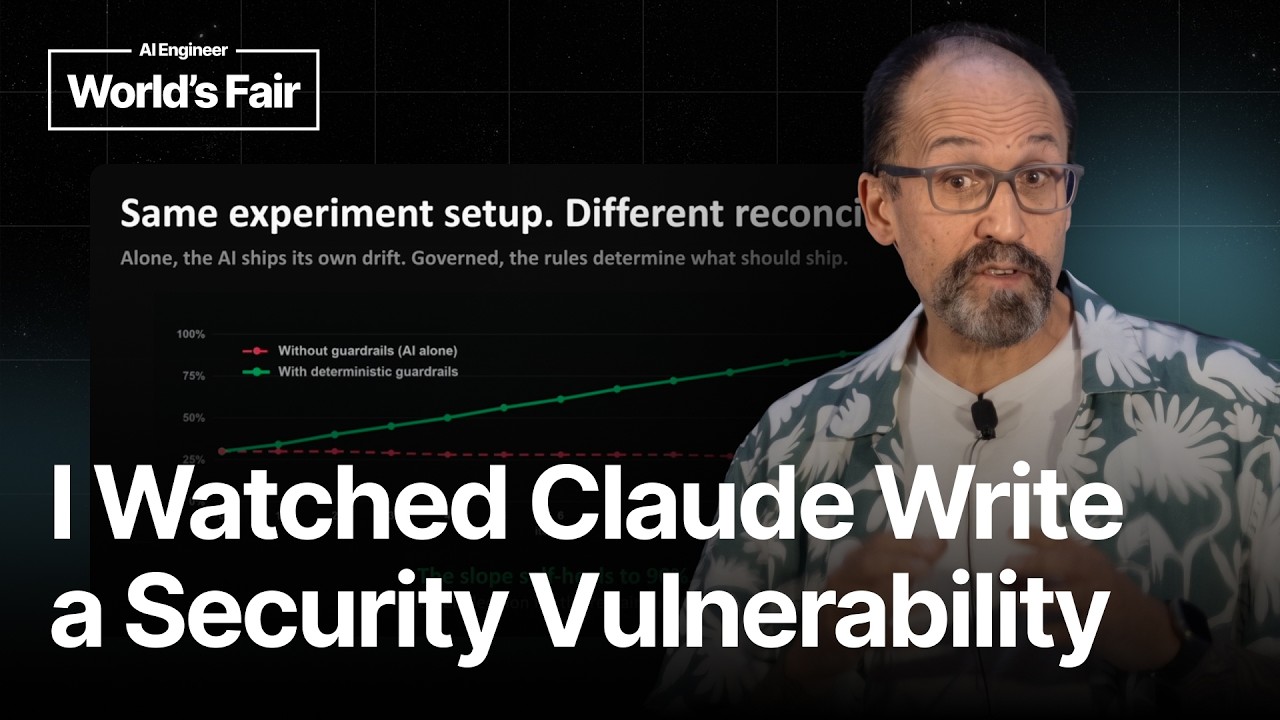
Jonathan Gordon (ReWeaver AI founder, 30+ years building developer tools/IDEs at Microsoft and others) argues that the promised design-code roundtrip — a lossless, bidirectional workflow between design and engineering with persistent provenance — still doesn't exist. He tried five different tool setups and every one was lossy: bindings dropped, design changes survived while code didn't. He built ReWeaver, demonstrated publicly for the first time here, which scans generated code on one side against a Figma canvas on the other and reports drift across dimensions including design quality, performance, tokens, and accessibility (an issue he cares about from his Microsoft days — models still emit components with no ARIA live region for screen readers). Running twelve iterations on one codebase, pure model output started near 30% fidelity and decayed, while deterministic guardrails held it up. It never reaches 100% because the last stretch is human judgment. His name for drift that accumulates unwatched is 'the new tech debt' — and he argues we need deterministic guardrails (like ReWeaver) to catch drift before it merges.
- A true design-code roundtrip means full bidirectional fidelity with persistent provenance — knowing exactly which line of code produced which button in the design.
- In 30+ years of building developer tools, Gordon never saw the design-engineering handoff actually close, because both sides optimize for different outcomes.
- He tried five different tool setups aiming for a bidirectional roundtrip and every one was lossy — bindings were dropped, design changes survived but code changes didn't.
- His 'innerHTML moment': deep in a vibe coding session, he spotted 'innerHTML' in the scrolling code and realized it was an injection risk — stopping the agent and reverting it.
- ReWeaver, demonstrated publicly for the first time at this talk, scans code against its Figma source and reports drift across design quality, performance, tokens, and accessibility.
- Accessibility is a key dimension: models still generate components with no ARIA live region, meaning a screen reader announces nothing — Gordon brought this from his Microsoft accessibility work.
- Running 12 iterations on one codebase: pure model output started at ~30% fidelity and decayed, while deterministic guardrails held quality stable — it never reaches 100% because the final stretch is human judgment.
- Gordon calls drift that accumulates unwatched 'the new tech debt' — it piles up gloriously over your codebase if left unchecked.
- ReWeaver catches drift before anything merges: it doesn't write code itself but gives actionable fixes the user can accept, refuse, or ignore.
- There's a public playground at reweaver.ai/playground where developers can test AI-generated code for production drift ratio (PDR) — scoring below 30 PDR earns a beta front-row seat.
- Deterministic guardrails around AI — not just pure agent loops — are the solution: the human stays in control of cost, code, and design decisions.
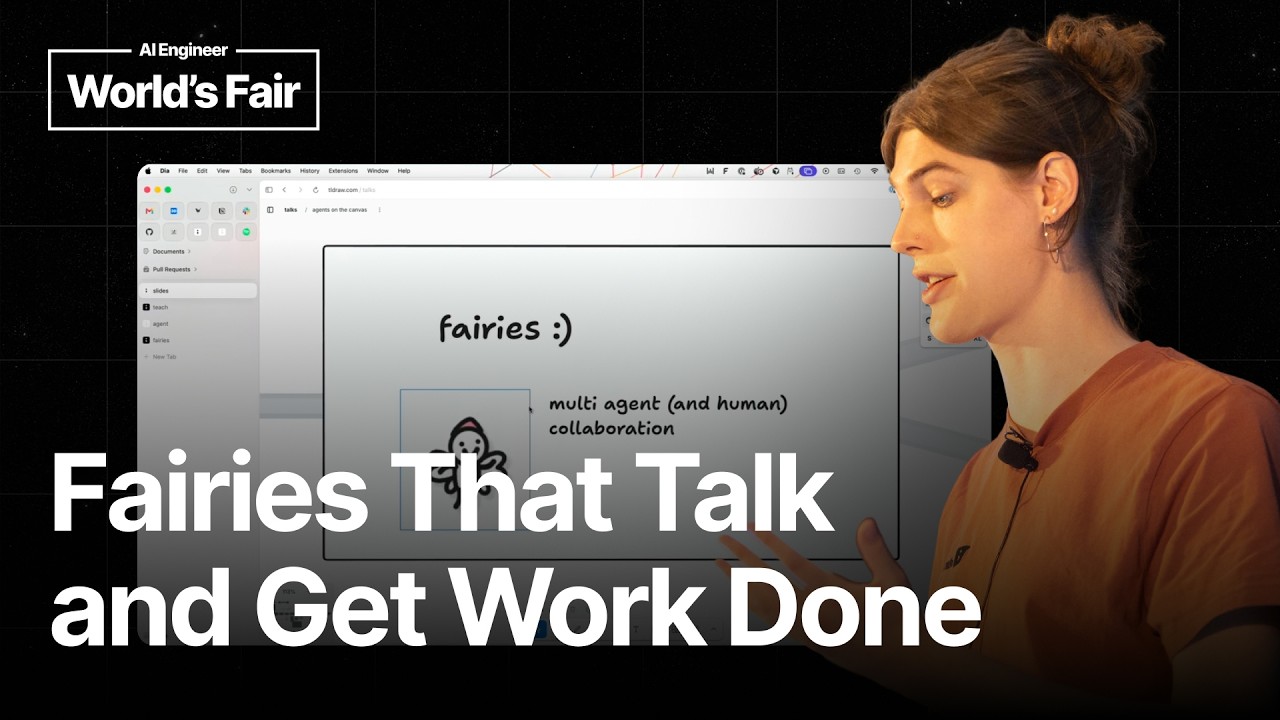
Max Drake (product engineer at tldraw) presents the evolution of building AI agents that operate on infinite canvases. He demonstrates why agents struggle with 2D spatial reasoning despite excelling at text-based coding, then walks through tldraw's journey: the 'Teach' project (single-shot prompting to help LLMs interpret canvas screenshots + JSON data), the Agent Starter Kit (MIT-licensed harness for agentic canvas work where agents set their own todos and move their viewport), the Fairies system (multi-agent collaboration with visual state — customizable agents that coordinate, delegate tasks, and signal progress through animation rather than chat logs), and the Tech Tree app (a dependency-graph task manager where each node is a coding agent that can write real code, open PRs, and be managed in multiplayer). He closes with the tldraw Desktop app which exposes the editor as a scripting environment for Claude Code, enabling agents to build window managers, play Pong with native desktop windows, and access real-world data (Gmail, Notion, filesystem) — breaking free of the 'trapped in the canvas' limitation.
- tldraw is both a free infinite canvas whiteboarding app and the Infinite Canvas SDK powering third-party canvases (like Replit's agent canvas), with built-in multiplayer with live sync.
- Agents excel at text-in/text-out domains like coding (Claude Code) but are fundamentally bad at working in 2D space without significant engineering.
- The 'Teach' project used single-shot prompting with screenshots + JSON data to teach LLMs to understand canvas state and produce correct spatial actions (demonstrated: 'make the mouse blow out the candle' produced correctly positioned wind and smoke).
- The Agent Starter Kit (MIT licensed) wraps the canvas understanding in an agentic harness where the agent sets its own todos and moves its viewport to explore — analogous to a coding agent searching a codebase.
- The Fairies project renders agents as visible, customizable characters on the canvas — 'the whimsy is load bearing' because with 10 agents running you read state by glancing at them rather than reading chat logs.
- Fairies can be selected together to form group chats with one acting as orchestrator, assigning work and waiting to review — enabling multi-agent coordination on the canvas.
- The Tech Tree app is a dependency-graph task manager where each node is a coding agent that can autonomously write code, open PRs, and be managed in multiplayer with collaborators.
- The tldraw Desktop app exposes the editor instance via a server allowing any agent (e.g., Claude Code) to write JavaScript against it — turning tldraw into a scripting environment.
- One colleague turned tldraw Desktop into a window manager by having Claude Code create rectangles that mapped to real desktop windows — then played Pong using those windows.
- The canvas should be a 'place' for collaborating with agents, just as it is for collaborating with remote colleagues — spatial interfaces give at-a-glance understanding of agent state that chat cannot.
- Connecting the canvas to real-world data (via desktop apps with filesystem/API access) solves the 'trapped in the canvas' limitation.